The Alternate 4 Combo Statement allows for the Statement to display the running Prepay balance and Regular balance after each transaction listed on the report.
Note: If the Print GST/PST Taxes option is checked on the Invoice Printout tab at Accounting / Setup / Location Preferences, the GST/PST are displayed in the same manner as the Invoice document. More information on this preference can be found here.
Setup
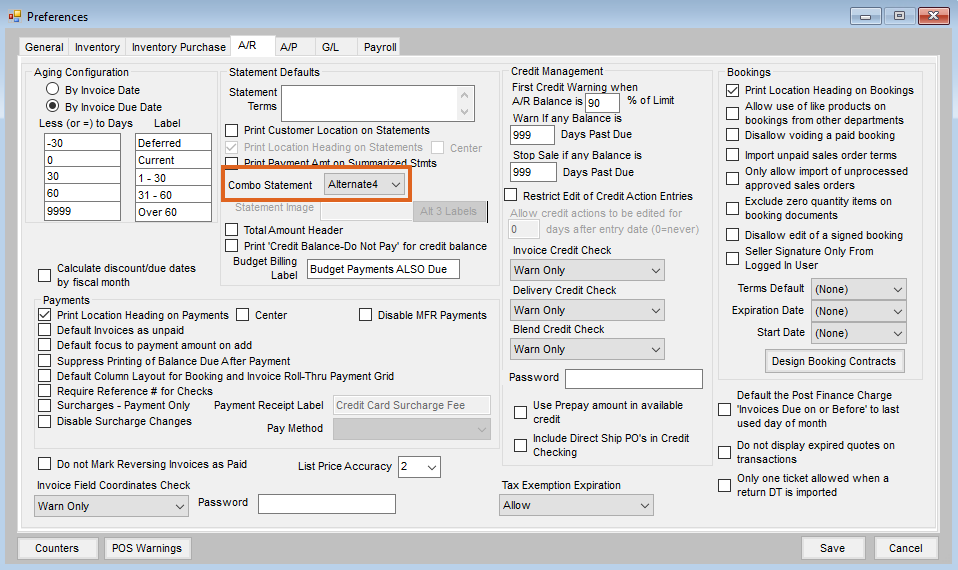
- Navigate to the A/R tab at Accounting / Setup / Preferences.
- Choose Alternate4 in the Combo Statement drop-down.
Report Printout
To run the report, navigate to Accounting / Reports / Accounts Receivable / A/R Status. Information on Report Criteria can be found here.
Transactions on this Statement are sorted by Transaction Date then by Transaction Number. A P is noted in the Extension column on any transaction line when either some or all of the line is prepaid. The total of the sales tax for the Customer is added in the Extension column. Additionally, a P is also noted on this sales tax amount when either some or all of the sales tax is prepaid.

