Agvance SKY Admin user permission is required to access Agvance SKY Energy Maintenance. Only those with the User Role Energy Maintenance permission checked will have access. Those without the permission will no longer have access to view Drivers, Monitors and Vehicles from the Maintenance menu.

Drivers
On the Maintenance page in Agvance SKY Energy, choose Manage on the Drivers card to view Drivers for the company.

All Energy Drivers from Agvance Windows display in a grid that operates much like an Excel spreadsheet.

Monitors
On the Maintenance page in Agvance SKY Energy, choose Manage on the Monitors card to show a grid of all monitors in inventory.

All Tank Monitors from Agvance Windows display in a grid that operates much like an Excel spreadsheet. Filtering is allowed based on search terms.

To add a new Monitor to inventory select + New Monitor in the lower right corner.

Fill in the following required and optional monitor details:
- Serial Number — Required field for an alpha numeric serial number up to 20 characters.
- Manufacturer — Required field. Autocompletes with preset vendors and custom values allowed.
- Anova (Wesroc), Otodata (Neevo), SkyBitz, Tank Utility
- Manufactured Date — Optional field
- Status — Choose Available, In Use, or Out of Service from the dropdown. The default is Available.
- Location — Required field. Search field that brings up a location list to select the applicable Location.
- Tank — Optional field. Choose Select Tank to search only tanks that have no monitor assigned to them already.
- Validations:
- A monitor with a duplicate Serial Number and Manufacturer of an already existing monitor can not be entered.
- A validation panel displays on the form and marks both fields invalid. Editing either field clears the error.
- A monitor with a duplicate Serial Number and Manufacturer of an already existing monitor can not be entered.
- The process of saving, success, or failure displays at the bottom of the screen.
- If attempting to cancel with unsaved changes an alert displays.

Vehicles
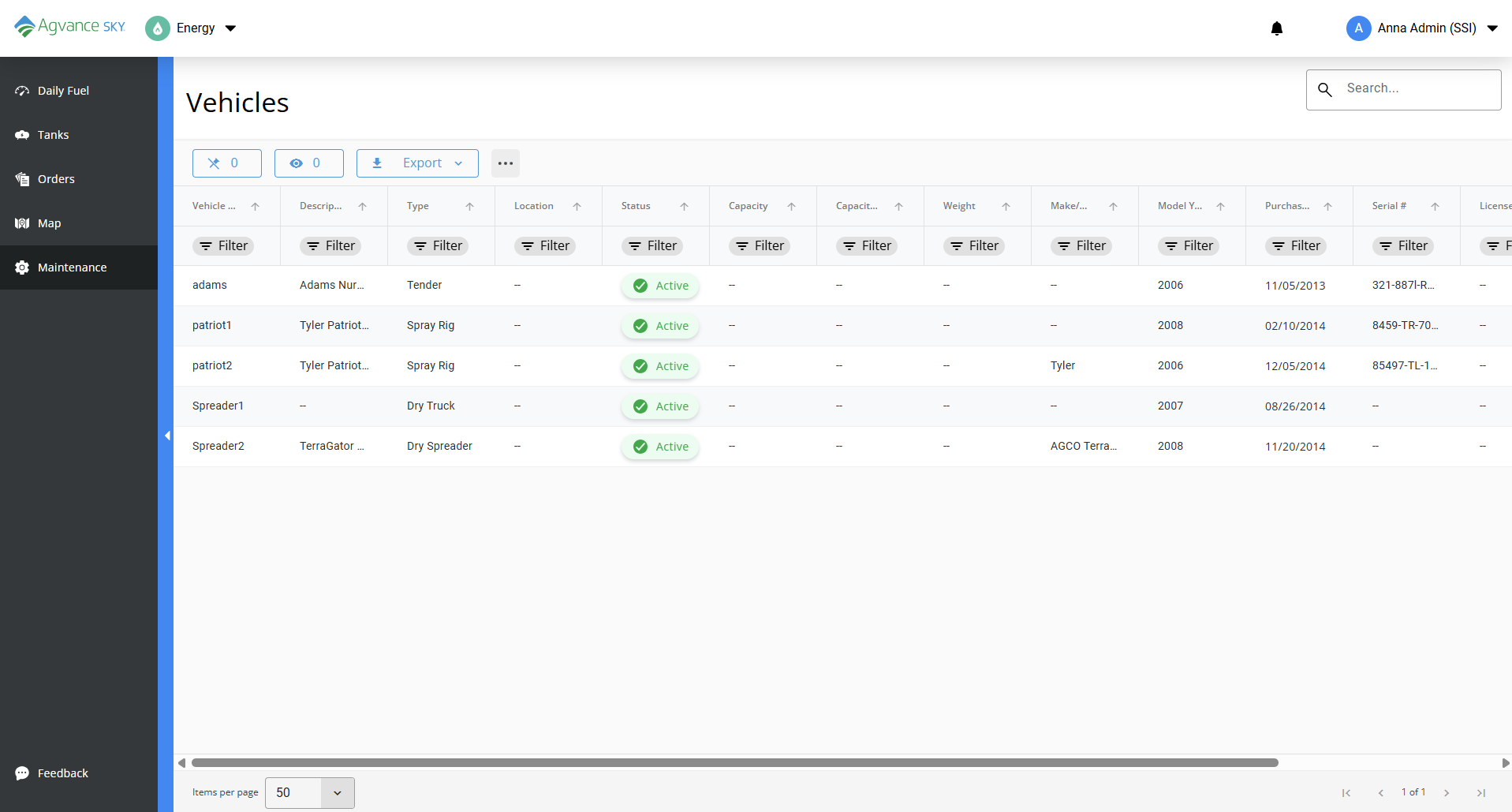
On the Maintenance page in Agvance SKY Energy, choose Manage on the Vehicles card to view fleet Vehicles for the company.
All Energy Vehicles from Agvance Windows display in a grid that operates much like an Excel spreadsheet.