- SKYR-923 / Booking Detail on AR Invoice View – When reviewing an AR Invoice, a Bookings Used section displays if a Booking was used. If no Booking was used, the section will not display.
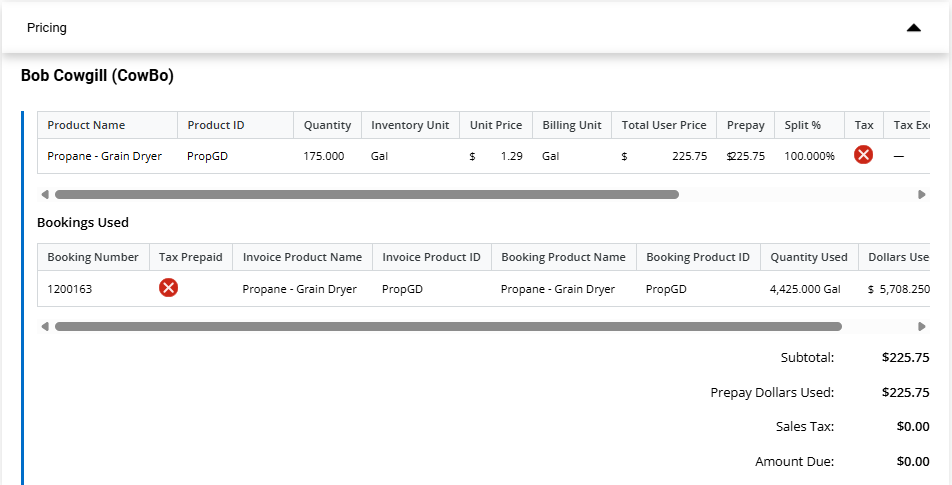
- Why – To offer more visibility to the Invoice from SKY.
- Action Needed – No action required.
- SKYR-1060 / Budget Billing Paid Status Link – Selecting the Paid status from Budget Billing tab opens the Customer's Payments page in SKY Customer in a new tab.
- Why – To give more visibility on billing details that already exists in SKY.
- Action Needed – No action required.
- SKYR-1113 / SKY Energy Map Updates –
- Select the Tank icon to see the entire tank list at that location. The yellow number indicator no longer appears.
- If the cluster has a number greater than 10 or the mean value of the average clusters in the area (whichever is higher), then the cluster shows as red. Otherwise, the cluster shows as blue.
- The zoom level is no longer limited when loading, panning and displaying to keep up to 10,000 tanks in view! View is limited to 10,000 tanks, if there are over 10,000 to display, the following message displays: View limited to 10,000 tanks. Zoom in or use filter panel to refine results. Open Filter Panel
Select Open Filter Panel to open the filter pane.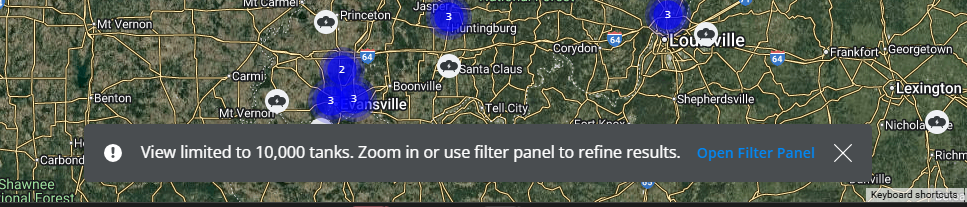
- Why – Loading time will no longer be limited, allowing for ease of zooming, panning, and viewing Tanks on the map.
- When/Where – These changes can be found on the Map tab.
- Action Needed – No action required.
- SKYR-1118 / Customer Credit Status to Add/Edit PDO – A Credit Status column is available in the Tank Details grid for that Tank’s Customer when viewing, adding, or editing a PDO.
- Why – To see a customer's credit status when creating PDOs and not entering Orders for those with poor credit issues, etc.
- When/Where – Tank Details grid when adding, editing, or viewing a Product Delivery Order.
- Action Needed – No action required.
- SKYR-1140 / View PDO links to SKY Customer – When viewing a Product Delivery Order, selecting Tank Serial Number opens the selected Tank information in a new tab and, with access to SKY Customer, selecting Customer Name opens the selected customer's SKY Customer page in a new tab.
- Why – To give more visibility of other SKY details related to PDOs .
- Action Needed – Access is necessary to view information linked to SKY Customer.
- SKYR-1143 / Add/Edit PDO links to SKY Customer – On the Add/Edit of Product Delivery Order, selecting Tank Serial Number opens the selected Tank information in a new tab, and with access to SKY Customer, Customer Name opens the selected Customer's SKY Customer page in a new tab. Also, to change or remove the selected Tank on a new PDO, select Remove Tank. That tank will be removed and the + Add Tank button will be visible again.
- Why – To give more visibility of other SKY details related to PDOs .
- Action Needed – Access is necessary to view information linked to SKY Customer.

Recently Updated